Google Pixel Studio × Stanford Marketing Group
Client: Google, Pixel Studio Team
A 10-week UX research and marketing strategy engagement for Google Pixel Studio to define teh AI image generation product’s strategy for small businesses.
- survey respondents
- 90
- interviews conducted
- 15
- recommendations
- 7
- consultants
- 6
My Role
Project Manager
- Managed team of 6 consultants week-to-week
- Led all client meetings with Google APMs
- Designed end-to-end research methodology
- Set up & ran live phone testing sessions, survey, interviews
- Presented final recommendations to Google
Google Pixel Studio is an on-device AI image generation app for Pixel phones, powered by Imagen. What set it apart was that it ran completely offline with unlimited generations and no usage caps. At the time of our research it could not generate accurate text inside an image, and its editing controls were coarse.
Pixel Studio had a technical differentiator but low awareness among small businesses and no clear adoption path. Google engaged the Stanford Marketing Group to answer a core question: which small business segments should Pixel Studio target first, and what would actually get them to adopt it?
Engagement objectives
- Understand the target audience, small business employees & owners who would use AI tools to create content for their business.
- Find key use cases through understanding the target audience and their consumer base.
- Develop marketing campaigns that combine the identified target audience and key use cases.
Who might use this, why would they, and who else is already trying to serve them?
Before we spoke to anyone, we mapped the competitive field, developed a hypothesis of which segments to target
Competitive landscape
The competitors respondents recognized were DALL-E (OpenAI), Canva AI, and Midjourney, then Adobe Firefly and Stable Diffusion. People were annoyed by DALL-E's 12-hour generation caps, which made Pixel Studio's unlimited offline generation a marketing lead.
Target segments identified
Creative Businesses
Photography, florists, tattoo parlors, nail salons, jewelry
Positioning
A simple design tool to increase foot traffic and enhance brand presence.
Education & Coaches
Tutors, trainers, ed-tech startups, professors
Positioning
A simple design tool to increase client base and enhance personal brand.
Restaurants & Food
Cafes, restaurant owners, food stall vendors
Positioning
A design tool to generate timely in-store signage and promotions.
Surveys were used to test the consumers' appetite for AI generated content. We sought to understand 1. What do consumers think of AI-generated content? and 2. Which visual styles do they prefer?
Example survey questions
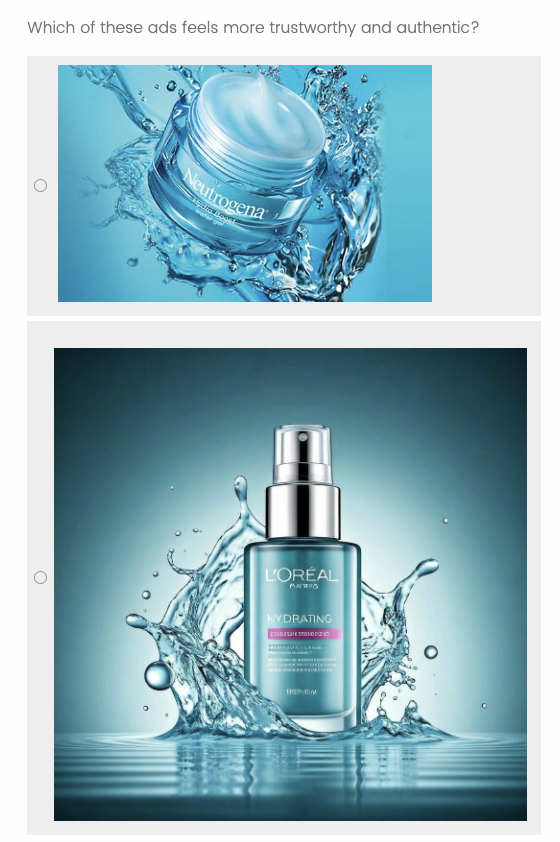
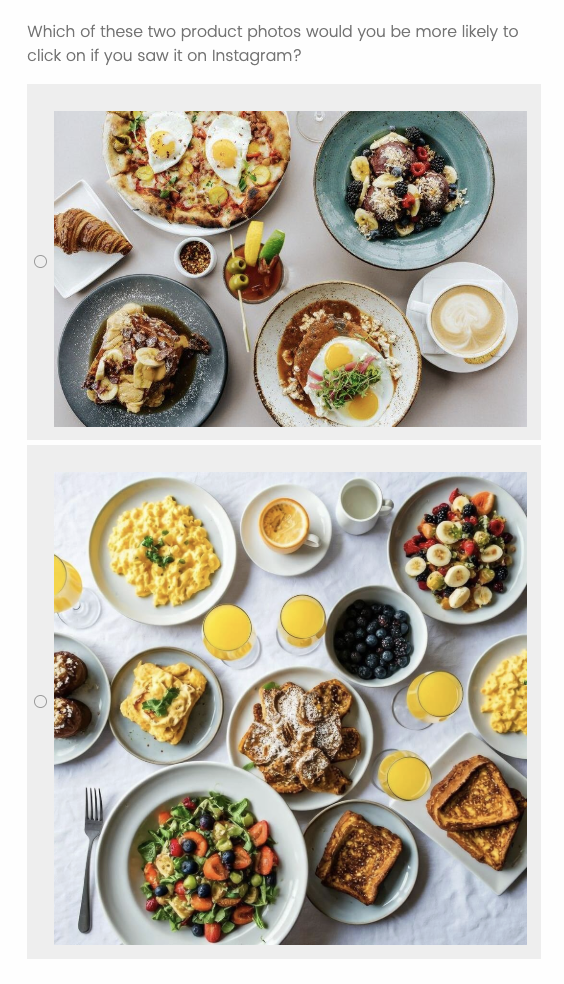
Methodology: Survey Overview of Questions
General questions about AI
Are users familiar with recognizing AI-generated images? A series of AI vs. real images.
Preferences around AI-Generated Content
How does knowing a business utilizes AI-generated images affect trust? Which marketing image would make a user more likely to engage with a small business?
Competitor analysis
Which of these AI image generation tools have you already heard of, or used?
Finding: Only 42% had heard of Pixel Studio
DALL-E, Canva AI, and Midjourney all had substantially higher recognition in the same respondent pool, so our adoption strategy had to start with awareness.
Which of these AI image generation tools have you already heard of, or used?
Percentage of respondents
Finding: 78% of consumers distrust AI-generated business imagery
78% of respondents said that knowing a business uses AI-generated images somewhat or greatly decreases their trust. Therefore, instead of marketing Pixel Studio as a replacement for photography, the focus is now turned towards blending and enhancing real photos.
How does knowing that a business uses AI-generated images in advertisement affect your trust in them?
- Somewhat increases: 2%
- No impact: 20%
- Somewhat decreases: 47%
- Greatly decreases: 31%
Finding: Respondents think they can spot AI, but can't always
Only 5% said they were not at all good at recognizing AI-generated images. But when we showed them higher-quality AI imagery, only 52% picked out the real photograph, against 86% when the quality gap was obvious.
"I'm good at recognizing when something is AI generated or not.." How much do you agree?
- Extremely accurate: 3%
- Very accurate: 16%
- Moderately accurate: 36%
- Slightly accurate: 40%
- Not accurate at all: 5%
Can you tell which of the following is a real photograph and which is AI-generated? Select the one that is a real photograph.
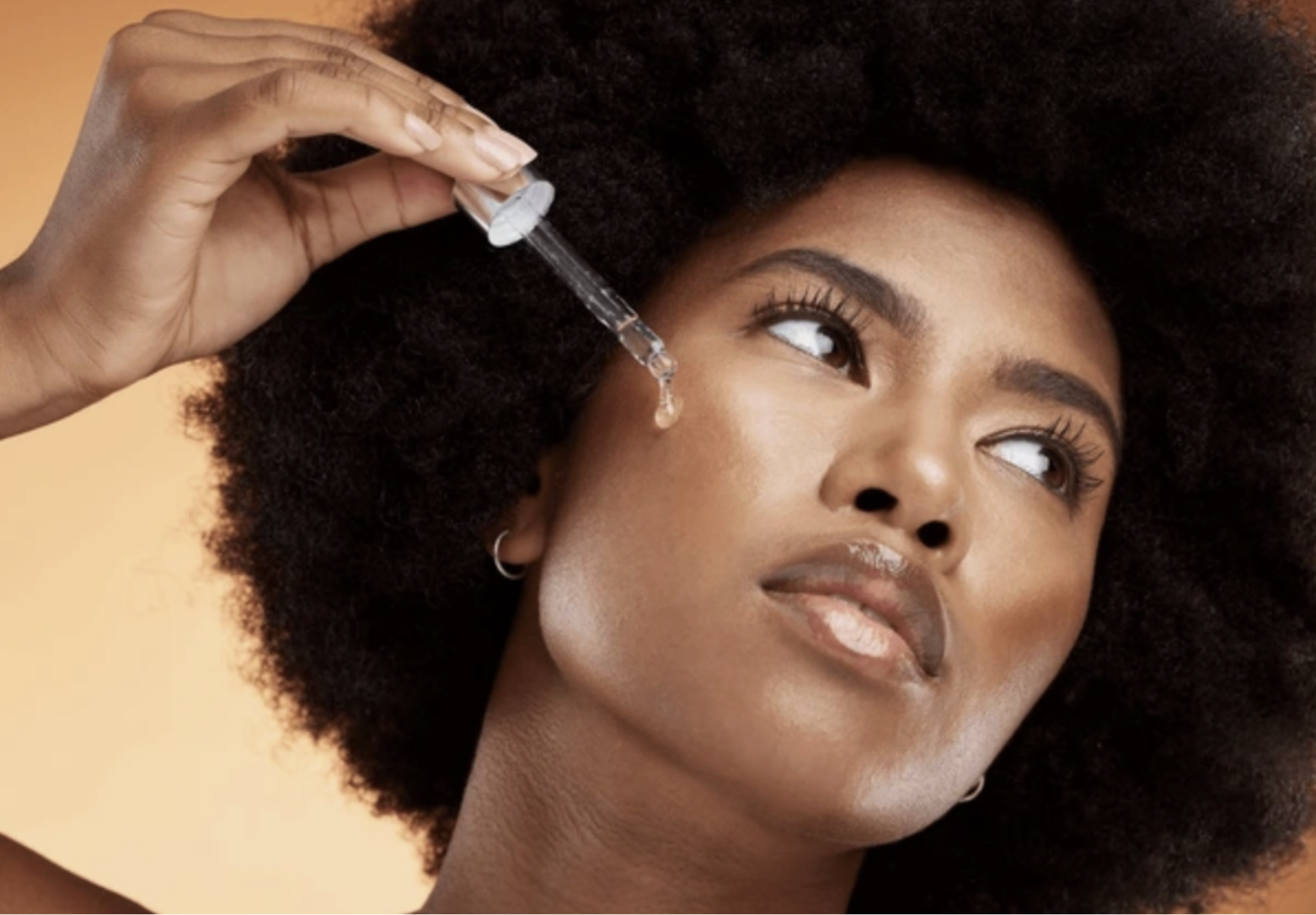
Image #1 · Real image
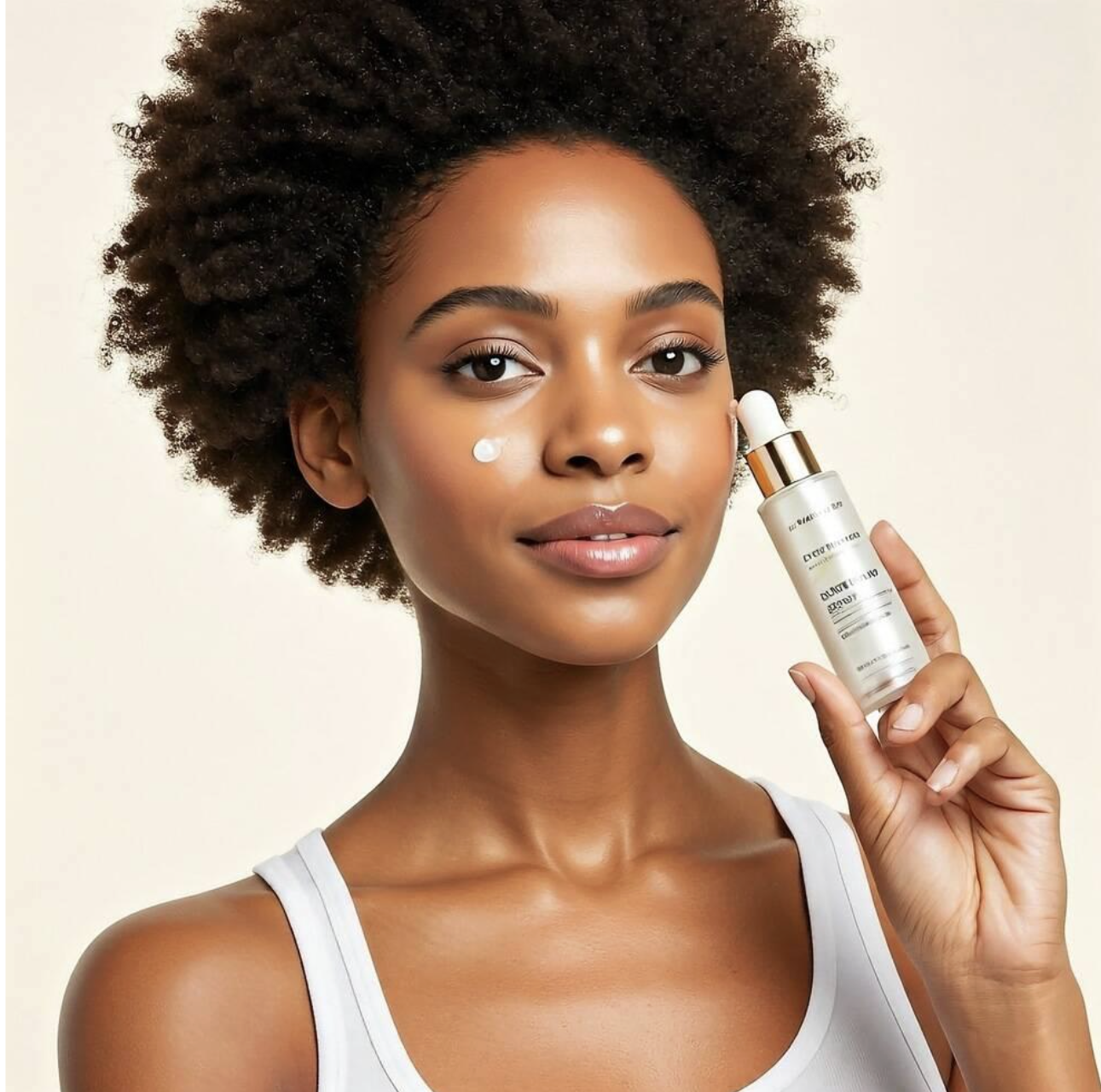
Image #2 · AI-generated
86% of respondents chose Image #1 instead of Image #2.
Here, respondents were able to distinguish between real and AI-generated.
Can you tell which of the following is a real photograph and which is AI-generated? Select the one that is a real photograph.

Image #1 · Real image

Image #2 · AI-generated
52% of respondents chose Image #1 instead of Image #2.
Here, respondents were not able to distinguish between real and AI-generated.
I designed the interview protocol and recruited small business owners across all three segments. Every interview included a live phone testing component where the participants interacted with the Pixel Studio app before answering any direct questions.
Methodology: One-On-One Interviews
General questions about AI; interactions with Google Pixel Studio
How familiar are small businesses with current AI tools? Play with the Google Pixel, observing their reaction to the app currently.
Sector-specific questions
Where do you see AI in your current workflow? Sector questions tailored to Creative, Restaurant, and Education-focused businesses.
Ideal Google Pixel Studio experience
After utilizing the phone, where do you see Google Pixel Studio as a tool to help improve your business? How can the AI better pertain to their sector-specific workflow?
Finding: Unlimited generation is the standout differentiator
Frustration with DALL-E's 12-hour rate limits came up spontaneously across interviews. When participants discovered Pixel Studio had no such cap, the reaction was consistently positive and surprised.
“This is unlimited, this is brilliant. ChatGPT makes you wait 12 hours in order to generate a new image. This is frustrating when it's not understanding me and I keep having to redo the AI image generation.”
L.C., Small Business Owner, Sweet Adventures Club
Finding: The biggest barrier is discoverability, not willingness
Many interviewees were open to AI tools but didn't know Pixel Studio existed, or couldn't find features once inside the app, such as the hidden style-switching button.
What do you already enjoy about the current Google Pixel App?
“I appreciate that there are style suggestions, while it's leading a little, it encourages creativity and options when stuck.” J.B., Ed-Tech Startup
But, some users found this button non-intuitive or “hidden”
“I didn't know that you could change the style, the button was very hidden and not very clear, and the UX made it hard to tell.” J.A., Creative Startup
Finding: Restaurants want to remix existing photos, not generate new ones
Restaurant owners and food businesses described their content creation problem as a lack of tools to adapt what they already had, not a lack of raw material. They have existing dish photography, but they need to quickly reformat it for a seasonal promo or platform resize without organizing a new shoot.
Interview Response: What purpose do you currently see in Google Pixel Studio, for the restaurant sector?
“We already have a ton of photos. We just want to tweak them to fit a seasonal promo or add new menu items without doing a whole new shoot.”
S.M.
Restaurant Owner
“If I could just take a photo of our best-selling dish and change the background or lighting to better match our branding, that would save us hours + labor.”
A.M.
Cafe Owner
Market AI Enhancement of People & Places
Go-to-market framing · All segments
Motivated by: 78% of consumers trusting a business less when it uses AI imagery, which turns the focus to enhancement rather than replacement.
Position Pixel Studio as an enhancement layer on real photos rather than a replacement for 2 different use cases:
Images of people: promote effects & improve quality of images
- Promote ability to blend real images with AI-generated effects:
- AI-generated backgrounds & settings to enhance real images
- AI-generated stickers & embellishments to enhance real images
- Improve lifelike quality of images depicting people (supported by Imagen 3 → 4 update)
Images of places: promote environment staging & implement time-specific scenes
- Promote ability to visually enhance environment staging for products (supported by Imagen 3 → 4 update):
- AI-generated versions of products from different angles and displays
- Promote time-specific scenes for seasonal/holiday promotions and posts
Built-in Branding Assistant
Customization tools · All segments
Motivated by: Owners across all segments rebuilding brand context from scratch every session and lose momentum switching between tools.
“My Studio Mode”: Build a personalized design database that learns about user overtime
- Save and manage brand assets in one place
- Automatically apply preferred styles to new content
- Flag off-brand elements before publishing
- Eliminate repetitive setup, ensuring visual consistency
- Maintain brand alignment across all creative output
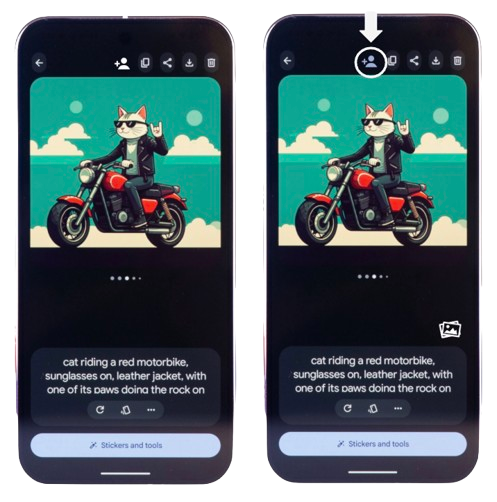
Smart Photo Remix Tool
Existing content enhancement · All segments
Motivated by: restaurant owners needing adaptation tools to repurpose a photograph for different occasions.
- Upload an existing dish photo for editing
- Instantly change photo backgrounds to match seasons or events
- Add branded overlays like uploaded logos, price tags, or limited-time offers
- Resize and export for various common platforms
- Reuse current content without the hassle of organizing new shoots
- Efficiently create content, save time adapting content for different marketing channels
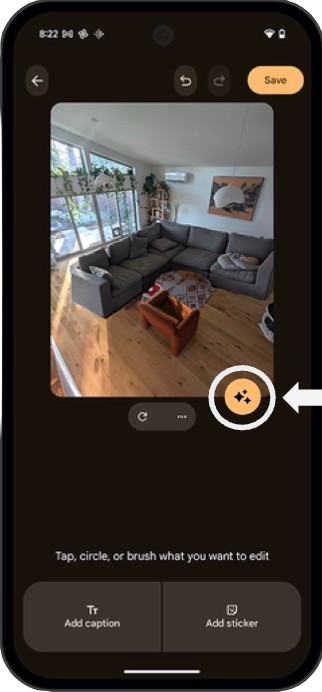
Creative Nudge
Ideation & prompts · All segments
Motivated by: prompt paralysis across all segments.
Creative Nudge gives people a starting point instead of a blank prompt, phrased the way owners and operators actually describe their own work.
Collaborating with Friends
- "It would be a lot cooler if it was more social, and you could see other people's prompts and what they are doing and remix them"
- Many interviewees struggled to come up with a specific enough prompt independently
Hyperlocal Trend Scanner
- Allows users to easily incorporate trends or buzz ideas into images, without having to first figure out what they are
- Examples: memes, jokes, trends
Seasonal Micro-Morphing
- Automatically tweaks your brand kit per season or holiday, improving ease of customization
- Examples: logo gets small snowflake for December, color palettes get warmer for fall menus
"Old Flyers, New Looks" Reviver
- Upload old PDFs or JPEGs of past designs, detects layout & design structure
- Auto-refreshes with modern styles while preserving content hierarchy, logo placement, and brand voice
Outcome
Presented to Google
We presented our findings and recommendations to Google on June 4, 2025. The work on consumer trust, competitive positioning, and the four feature recommendations matched their internal product direction, and they told us they expected it to inform upcoming roadmap decisions.